部署Gitea Actions(Docker版)
note
推荐使用二进制版,部署到单独服务器,不推荐 Docker 版。
第一步 复制 Token
登陆你的 gitea 网站
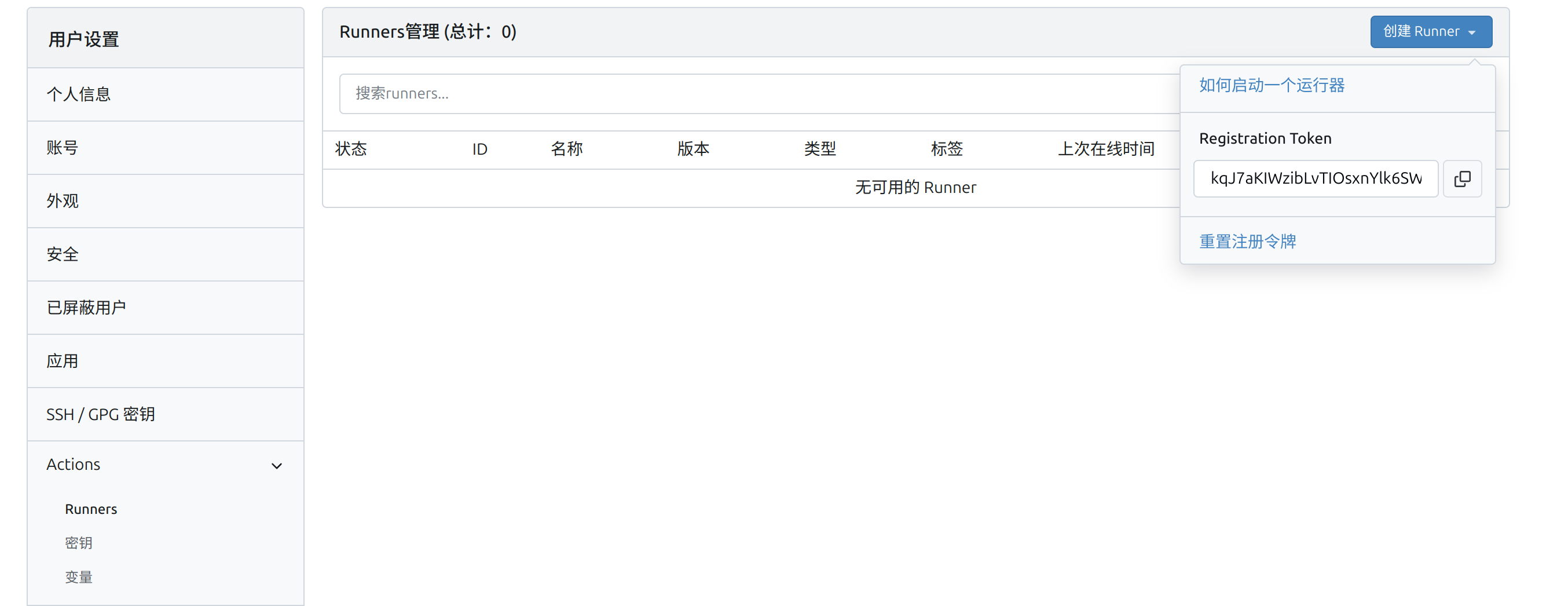
设置 > Actiions > 创建 Runner > 复制 Token
第二步 部署 Actions
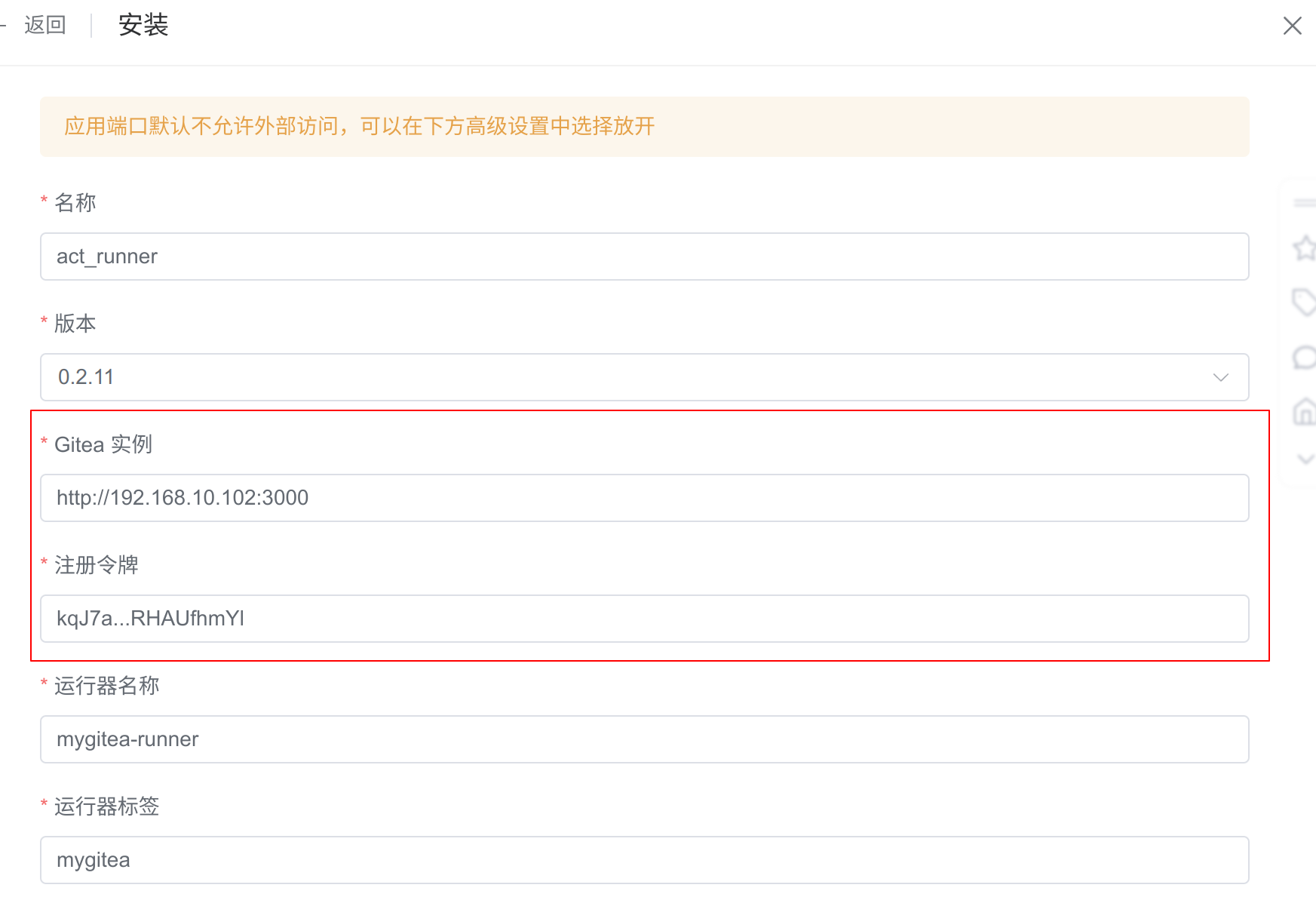
使用 1panel 部署,填写关键信息
- gitea 网站地址
- token
第二步 查看 Actions 状态
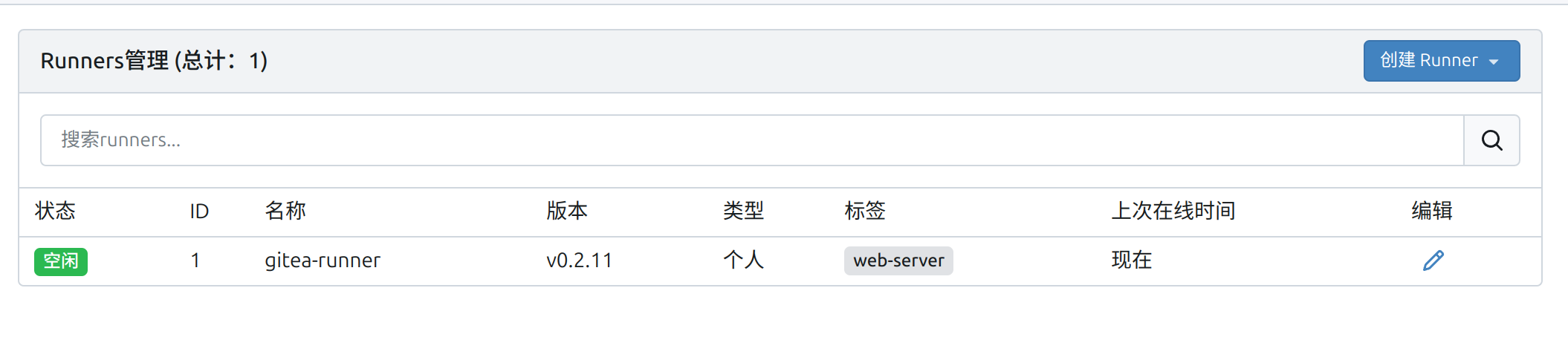
回到你的 gitea 网站,看见一个新的 Runner,说明部署成功。
第三步 使用 Actions
创建一个测试仓库,并在仓库中添加如下结构
bash
.gitea
 └─ workflows
     └─ demo.yaml
demo.yaml 粘贴自官方文档
bash
name: Gitea Actions Demo
run-name: ${{ gitea.actor }} is testing out Gitea Actions 🚀
on: [push]

jobs:
  Explore-Gitea-Actions:
    runs-on: ubuntu-latest
    steps:
      - run: echo "🎉 The job was automatically triggered by a ${{ gitea.event_name }} event."
      - run: echo "🐧 This job is now running on a ${{ runner.os }} server hosted by Gitea!"
      - run: echo "🔎 The name of your branch is ${{ gitea.ref }} and your repository is ${{ gitea.repository }}."
      - name: Check out repository code
        uses: actions/checkout@v4
      - run: echo "💡 The ${{ gitea.repository }} repository has been cloned to the runner."
      - run: echo "🖥️ The workflow is now ready to test your code on the runner."
      - name: List files in the repository
        run: |
          ls ${{ gitea.workspace }}
      - run: echo "🍏 This job's status is ${{ job.status }}."
推送仓库,在仓库 Actions 中查看运行状态:提示没有匹配的标签的在线 runner
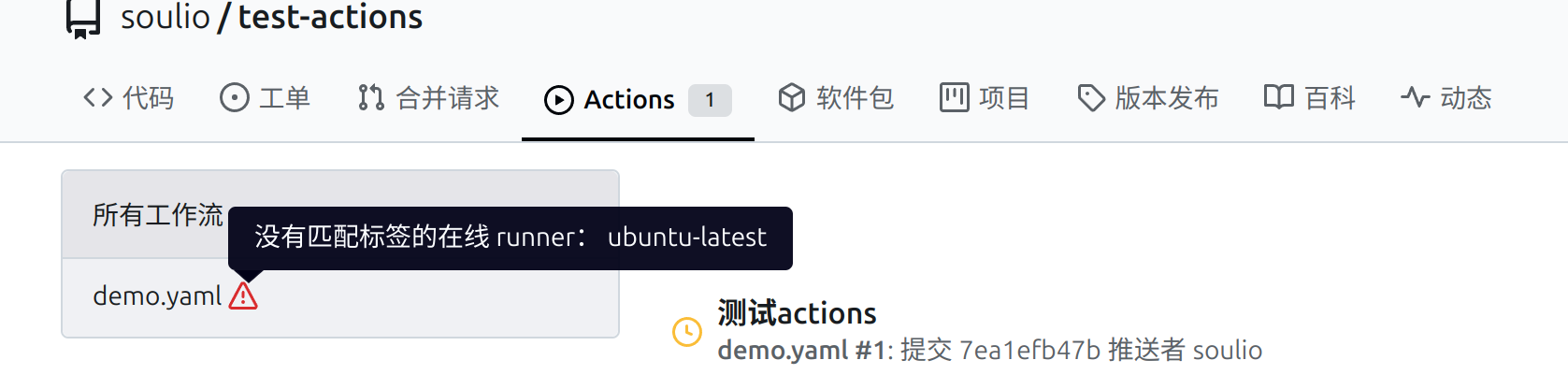
改正.gitea/workflows/demo.yaml 中的标签,再次提交。虽然 demo.yaml 代码有错误,但至少证明 Gitea Actions runner 部署成功了。
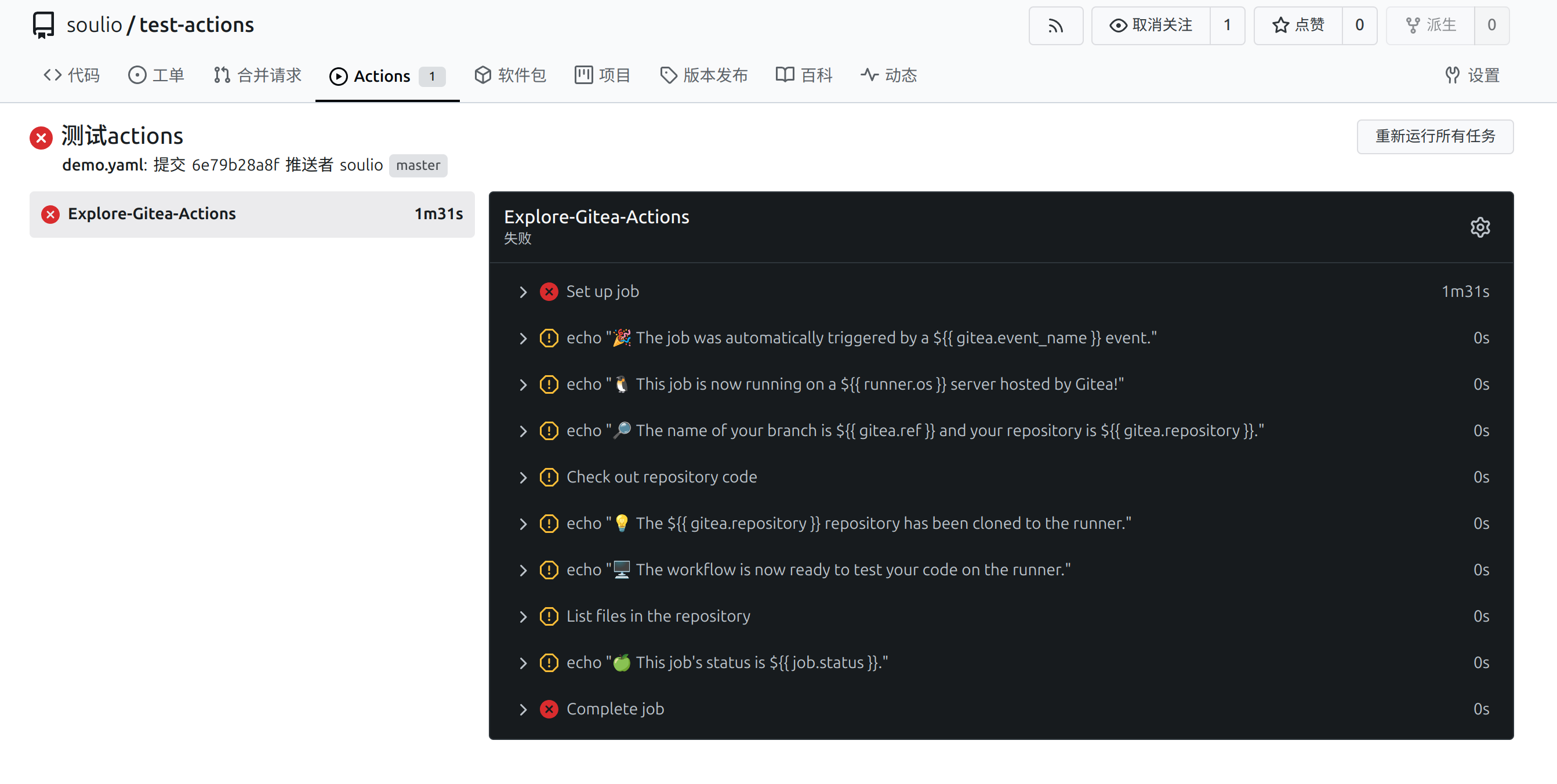
接下来学习 Gitea Actions 语法,配置正确的 yaml 文件即可。