WireGuard快速入门
1.WireGuard 简介
WireGuard 是一个现代化、简单而高效的虚拟专用网络(VPN)协议,旨在替代现有的如 IPsec 和 OpenVPN 等方案。
2. WireGuard 安装部署
2.1 安装
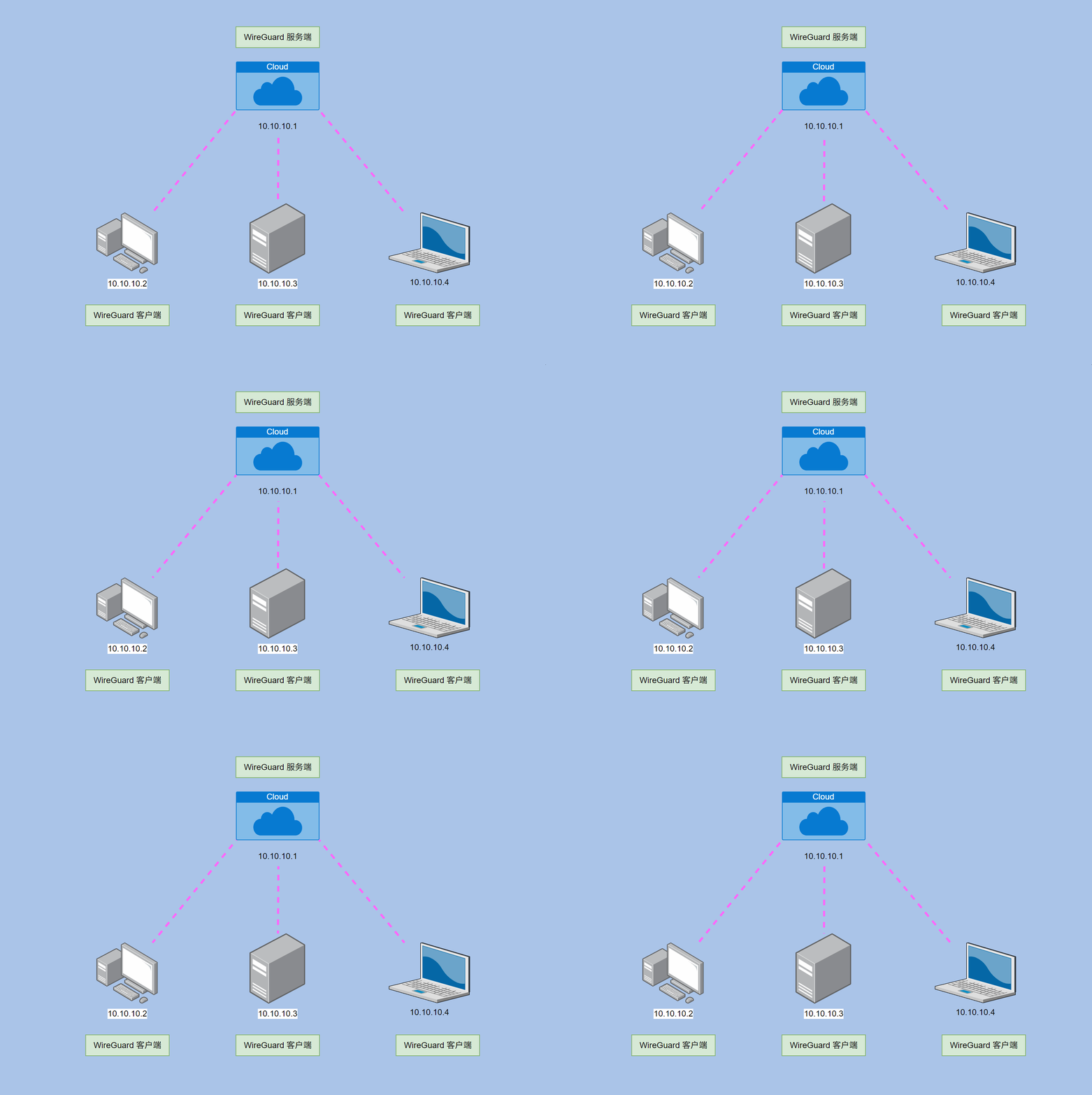
需要给 VPN 网络中的每台服务器和客户端安装 WireGuard 程序。
bash
sudo apt update
sudo apt install wireguard
这样才能够互相通讯。
2.2 准备密钥对
bash
wg genkey | tee 服务器私钥 | wg pubkey > 服务器公钥
wg genkey | tee 客户端私钥1 | wg pubkey > 客户端公钥1
WireGuard 使用秘钥对进行加密通信。
3.WireGuard 服务端配置
3.1 配置文件
假设:VPN 使用 10.10.10.0/24 网段,服务器使用 51820 端口通讯。
配置文件:
bash
sudo nano /etc/wireguard/wg0.conf
配置:
ini
[Interface]
Address = 10.10.10.1/24      # 虚拟网段
ListenPort = 51820           # 端口
PrivateKey = <服务器私钥>

[Peer]
PublicKey = <客户端1的公钥>
AllowedIPs = 10.10.10.2/32    # 客户端虚拟地址
3.2 WireGuard 启动、开机自启
bash
sudo wg-quick up wg0
sudo systemctl enable wg-quick@wg0
3.3 防火墙
bash
sudo ufw allow 51820/udp
如果服务器与客户端之间的通信需要通过 NAT,你还需要配置 IP 转发和适当的防火墙规则。
3.4 IP 转发
临时(重启后失效):
bash
# 临时启用 IP 转发
sudo sysctl -w net.ipv4.ip_forward=1
永久:编辑文件 sudo nano /etc/sysctl.conf 确保包含内容。
bash
net.ipv4.ip_forward=1
sudo sysctl -p
3.5 NAT 转发
bash
sudo iptables -t nat -A POSTROUTING -o eth0 -j MASQUERADE
4. WireGuard 客户端配置
4.1 配置文件
假设:客户端 1 使用虚拟 IP 10.10.10.2
配置文件:
bash
sudo nano /etc/wireguard/wg0.conf
配置:
ini
[Interface]
Address = 10.10.10.2/32       # 客户端的虚拟 IP 地址
PrivateKey = <客户端的私钥>  	# 私钥B

[Peer]
PublicKey = <服务器的公钥>  	# 公钥A
Endpoint = <服务器的公网 IP>:51820  # 服务器的公网 IP 和端口
AllowedIPs = 0.0.0.0/0       # 允许客户端访问所有 IP 地址
PersistentKeepalive = 25     # 保持连接(适用于 NAT 环境)
AllowedIPs:客户端允许访问的 IP 地址范围(通常设置为 0.0.0.0/0 以便访问所有 IP)。
4.2 WireGuard 启动、开机自启
bash
sudo wg-quick up wg0
sudo systemctl enable wg-quick@wg0
5. 测试连接
WireGuard 状态:
bash
sudo wg

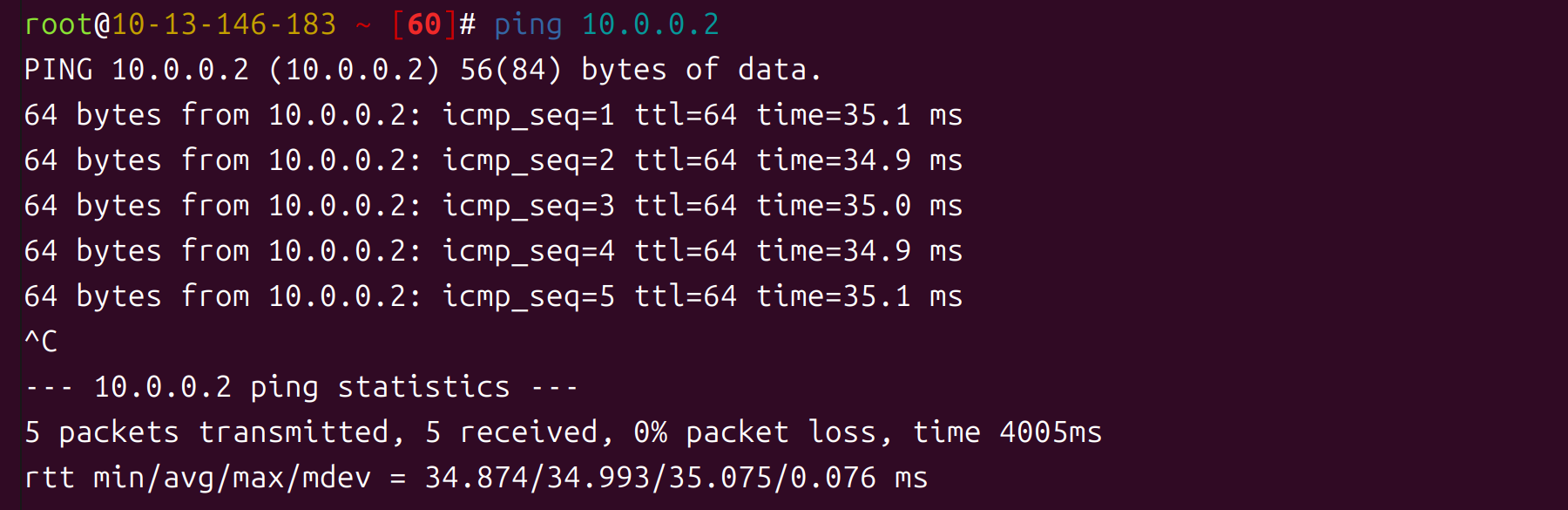
ping 测试:
6. 添加多个客户端
如果需要添加更多的客户端,只需为每个客户端生成一对密钥,并将其公钥添加到服务器配置的 [Peer] 部分,同时为每个客户端配置一个不同的 IP 地址。
服务器配置示例(添加多个客户端):
ini
...

# 客户端1
[Peer]
PublicKey = 客户端1公钥
AllowedIPs = 10.10.10.2/32

# 客户端2
[Peer]
PublicKey = 客户端2公钥
AllowedIPs = 10.10.10.3/32

# 客户端3
[Peer]
PublicKey = 客户端3公钥
AllowedIPs = 10.10.10.4/32
客户端配置文件的 [Peer] 部分也要相应修改。修改配置后需要停止、启动 WireGuard。
7.停止、启动命令
bash
sudo wg-quick down wg0
sudo wg-quick up wg0
8.答疑
问:为什么使用 UDP,而不是 TCP?
答:避免 "TCP-over-TCP" 问题,更快,更简单。
问:TCP 明文会暴露传输内容吗?
答:不会,使用了加密算法。